Every placegets its own album.
Tap one photo. Get the album.
Pick one photo. MemoryPlaces finds the other photos you took there and turns them into an album in Apple Photos.
Sorted by when.Not by where.
Your library remembers every date. MemoryPlaces adds the missing layer: the place.
Sample library · photos from two places, in date order
One photo in.One album out.
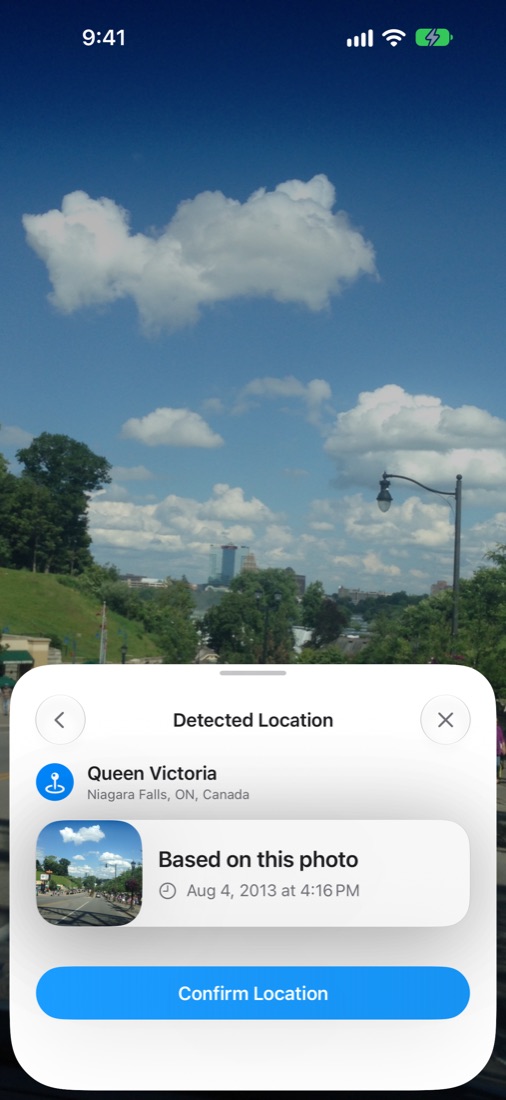
Pick one photo. It knows the place.
Choose any photo from a place you love. MemoryPlaces reads where it was taken and names the spot for you.
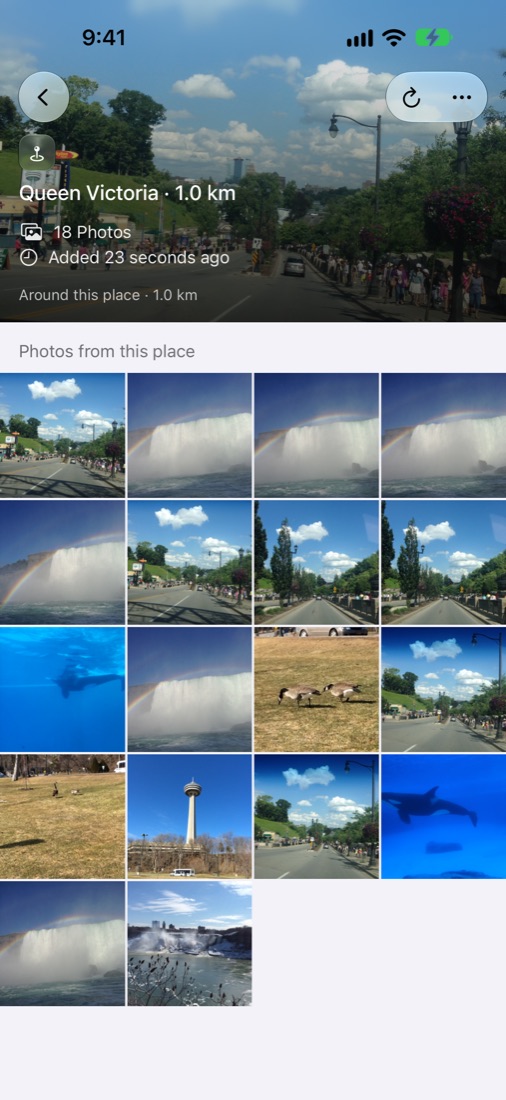
A real album, right in Apple Photos.
It gathers the photos you took around there, every visit and every year, into a normal Photos album. Nothing to export.
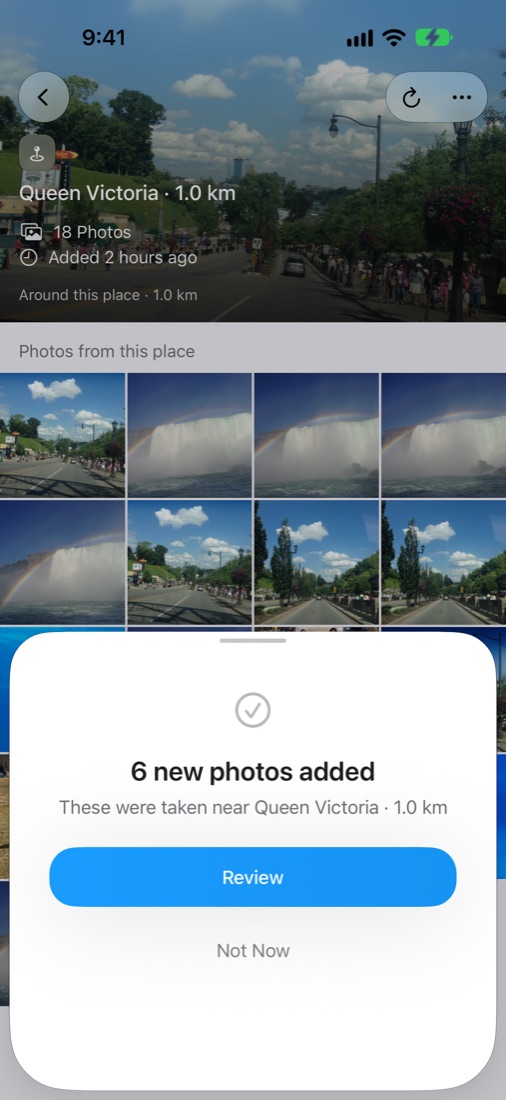
Back again? Tap Refresh.
After your next visit, open the album and tap Refresh. You look over the new photos, then add them.
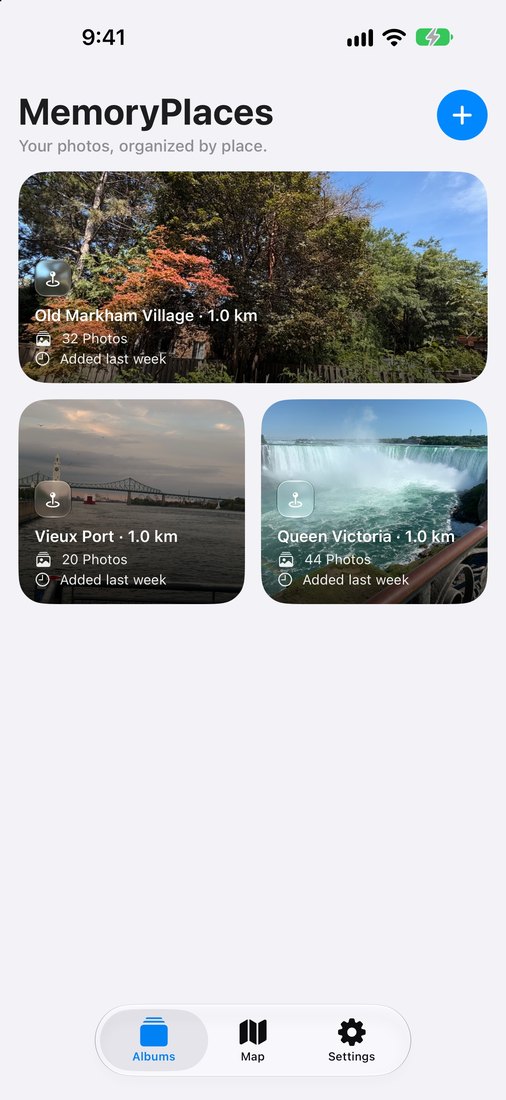
All your places.On one map.
Each album is a pin. Zoom out and see the places that matter to you.
Your photosstay yours.
Read the privacy policyNo account
Open the app and start. No sign-up, no email.
Not on our servers
Your photos never touch our servers. App Store privacy label: Data Not Collected.
Albums live in Photos
They are regular Apple Photos albums.
You decide when
Refresh only runs when you tap it.
Commonquestions.
How is this different from Google Photos’ map view?
Google Photos’ map view shows a heatmap and a grid of the photos in the area you’re looking at, inside Google Photos. MemoryPlaces makes an album in Apple Photos that you can open, share, and add to after your next visit.
Do my photos upload anywhere?
No. MemoryPlaces never uploads your photos. When you share a place with Family, Photos adds them to a Shared Album in your own iCloud.
What happens after 3 free albums?
Your albums stay in Apple Photos. To make more, you upgrade in the app: $9.99 a year in the US App Store, or a one-time purchase.
Does it work with my existing photo library?
Yes. It reads the Photos library already on your device, so there is nothing to import. It finds photos that have location data.
Can an album include videos, not just photos?
Yes. A place album includes the videos you took there as well as the photos. For a place you added before, tap Refresh to add its videos. On iOS 27 and macOS 27, Family adds videos to the shared album too. On iOS 26 or earlier, shared albums get photos only; to send a video, use Share.
Your places, your albums.
Download on the App StoreFree to start · Search “MemoryPlaces” on the App Store